NPM Supply Chain Attacks: What Developers Miss, and How to Protect Your Environment
This article focuses on practical risk reduction for NPM supply chain attacks. It is not a substitute for an incident response plan or legal advice.
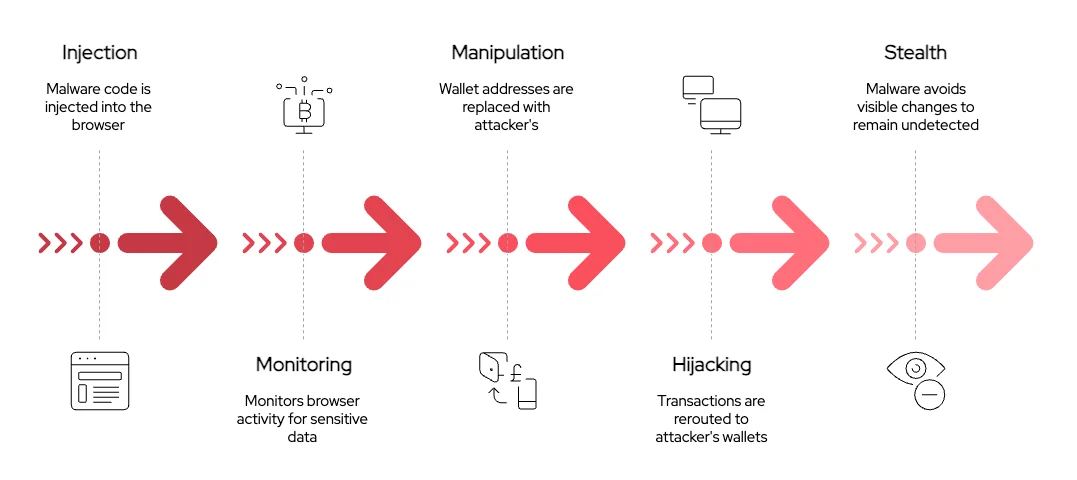
Why NPM supply chain attacks keep working
The JavaScript ecosystem moves fast, and NPM makes it easy to pull in thousands of transitive dependencies with a single command. That convenience is also the attack surface.
Many real-world incidents do not start with “advanced hacking”. They start with routine developer actions that accidentally grant untrusted code the same privileges as trusted code.
The biggest thing developers miss: install-time execution
When you run npm install or npm i, you are not only downloading code. You may also be executing code during installation.
This happens through lifecycle scripts such as:
preinstallinstallpostinstallprepare
If a dependency, or any transitive dependency, contains a malicious script, it can run automatically during install.
Why “full privilege” installs are dangerous
A typical developer machine has access to sensitive assets, including:
- SSH keys
- Cloud credentials in environment variables
- Tokens in
.npmrc,.gitconfig, or CI config - Source code and proprietary data
- Browser sessions and password managers
Running package installation with these privileges means a malicious install script can attempt to:
- Exfiltrate secrets
- Modify source code to insert backdoors
- Alter build output
- Add persistence by changing shell profiles or startup scripts
Safer installs: --ignore-scripts (and how to use it correctly)
A simple defensive default is:
npm install --ignore-scripts
This prevents lifecycle scripts from running during install.
Important nuance: Some legitimate packages rely on install scripts to build native modules or generate artifacts. With --ignore-scripts, those packages may not work until you explicitly allow scripts.
A safer workflow is:
- Install with scripts disabled to reduce blind execution.
- Review what would execute, then selectively allow scripts only when needed.
Practical workflow: reduce risk without stopping development
Below is a workflow that is realistic for teams and individual developers.
1) Prefer npm ci for reproducibility
If you have a lockfile and you want deterministic installs:
npm ci --ignore-scripts
This reduces “surprises” compared to floating versions, and makes it easier to audit what was installed.
2) Treat lifecycle scripts as code that needs review
Before allowing scripts, inspect what would run:
npm pkg get scripts
Then, investigate suspicious patterns in dependencies, such as:
- Obfuscated JavaScript
curl | bashstyle pipelines- Unexpected network access
- Postinstall scripts doing unrelated work
3) Install in an isolated environment
One of the most effective mitigations is to remove ambient authority.
Instead of installing on your host machine with access to your real credentials, install inside an isolated environment such as:
- A container
- A disposable VM
- A locked-down sandbox
The goal is that even if a malicious script runs, it cannot easily:
- Reach your real secrets
- Modify your real filesystem
- Persist on your host
This is also where an “isolated install” helper package can be useful: it can automate installing dependencies inside an isolated environment and report signals that suggest attacker-controlled input or suspicious behavior.
What to watch for during install (signals of compromise)
Supply chain attacks frequently leave observable traces. Useful signals include:
Network behavior
- Unexpected outbound connections during install
- DNS lookups to unusual domains
- Connections to paste sites or temporary hosting
File system changes
- Writes outside the project directory
- Changes to shell startup files like
.bashrc,.zshrc - Modifications under
~/.ssh,~/.npmrc,~/.gitconfig
Process execution
- Spawning
curl,wget,powershell, orbashunexpectedly - Dropping binaries or running precompiled payloads
Credential access attempts
- Reading environment variables
- Accessing known credential locations
- Accessing cloud metadata endpoints
Developer “negligence” is often a workflow problem
It is easy to blame developers, but many unsafe behaviors are incentives and defaults:
- Deadlines push “just install it” decisions
- Tooling defaults execute lifecycle scripts silently
- Transitive dependencies hide risk
A better framing is: make the safe path the easy path.
Defensive checklist for teams
- [ ] Default to
npm ci --ignore-scriptsin CI for install steps that do not require scripts. - [ ] Use lockfiles consistently, and protect them in code review.
- [ ] Block unexpected script execution in CI and developer environments.
- [ ] Install dependencies in isolated environments for high-risk or untrusted projects.
- [ ] Monitor install-time network and process activity (even basic logging helps).
- [ ] Require review for new dependencies and major version bumps.
- [ ] Pin Node.js and NPM versions in CI to reduce drift.
- [ ] Minimize secrets exposure on developer machines and in build environments.
Research angle: detecting recursive and transitive attack patterns
For supply chain research, a powerful direction is to focus on recursive and transitive propagation, where:
- A malicious dependency is introduced indirectly.
- The payload is triggered through install scripts or build steps.
- The compromise spreads across projects via copied configs, shared templates, or poisoned lockfiles.
Static analysis can help here. Curated CodeQL queries, for example, can detect patterns such as:
- Lifecycle scripts that execute external commands.
- Obfuscation indicators.
- Suspicious child process invocation.
- Network calls during install/build stages.
Conclusion
NPM supply chain attacks succeed because they exploit default trust in dependencies and default execution during installation. If you reduce install-time privilege, disable scripts by default, and shift installs into isolated environments, you can eliminate a large class of common compromises.
If you want, share the name and goals of your isolated-install package and your CodeQL query set, and I can help you structure a “tooling” section that presents the approach clearly (threat model, design choices, limitations, and evaluation).